This section will cover Android and Google products and services.
In the next few weeks, there will be information regarding Chromebooks, Chromecast, and Google email services for business
In addition Google Drive will be added as well and it works for backing up your files and photos
Chromebook
This year, I purchased a Chromebook on Amazon at a really good price. The commercials are accurate in what it does.
I used it on Amtrak in September, traveling between Albany and Tacoma (working on websites). The battery life on the Chromebook was better than the phone. It usually doesn't need a charge until 12 hours of use.
Is boots up quickly. There are no magnetic, hard disk drives built in. You can add flash memory using the memory card port or USB or plug in an external hard drive using the USB ports. The battery makes this device very lightweight to carry as well.
Believe it or not, this website was constructed and maintained using a Chromebook with SSH (secured shell) and SFTP (the secured versions of file transfer protocol) as well as remote desktop for Windows using a third party app that has a small annual fee.
I did go through the process of adding Linux (Ubuntu xfce) to the system (see Git Hub instructions on how to do so if your device isn't under warranty). It is an older version (16.4) but it does work for running Java applications and it will work on Steam Games as well.
Google has taken over the educational sector for putting technology into students hands (at a very low price) and it is pretty clear why they have a majority of the market using lower priced, secure, reliable, and easy to use computers that can be easily maintained as well as a cloud infrastructure that can manage your files as well.
There isn't reason a reason to lose you homework with this device (as long as you saved it to Google Drive).
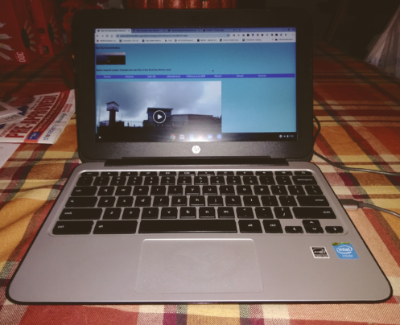
Google Chromebook 11g. An older model produced by HP that is a very powerful 64bit computer.
Google has posted a reminder for end of life cycles since Black Friday sales have provided deals (in the past) on them.
The complete list is available at the website:
https://support.google.com/chrome/a/answer/6220366?hl=en
Running Windows Remote Desktop on a Chromebook?
Working from home has brought some interesting challenges and awareness in security. Using a VPN (Virtual Private Network) is a safe way from working for home (is focused on this website) but in recent years, there are times when even additional security is needed since the information you may be accessing for work purposes isn't found on your local computer but rather by a remote computer using a remote desktop application.
Remote Desktop applications are nothing new for Windows computer and have been in use for twenty years. In recent years, this technology is capable of being used on Linux computers and even Apple devices as well. Why the changes?
Many Linux computers are lighter, require less power, and take up less room on desktop. Many Chromebooks (they are Linux based, not Windows based) have a great battery life.
Licensing for Windows 10 has become very expensive in recent years. While using remote desktop does require a license to use, it can be cost effect to use a Linux operating system (rather than a Windows 10 computer) to access these remote desktop features over the internet using very advance encryption systems.
Citrix provides a very good service to this type of application and can work with virtual machines (a computer within a computer using Windows Server in a 64 bit environment). VNC is a great application to provide secure remote access not only for Windows comptuers but for Linux computers as well.
This application is included on Raspberry Pi devices so that remote desktop sessions can be setup in a Linux environment for a lot less than it would cost for a Windows enviroment.
When traveling, it is better to keep your information on a remote computer to prevent theft of your personal information while working with encrypted connections so that someone can't hack into you as well.
Many corporations have used remote desktop systems as corporate policies have prevented files to be stores on local hard drives, keeping the information stored onto remote servers used or managed by the business.
This will be covered in a future video as well.